Tempo, Cue, Blackout: Projection Design That Plays With the Orchestra
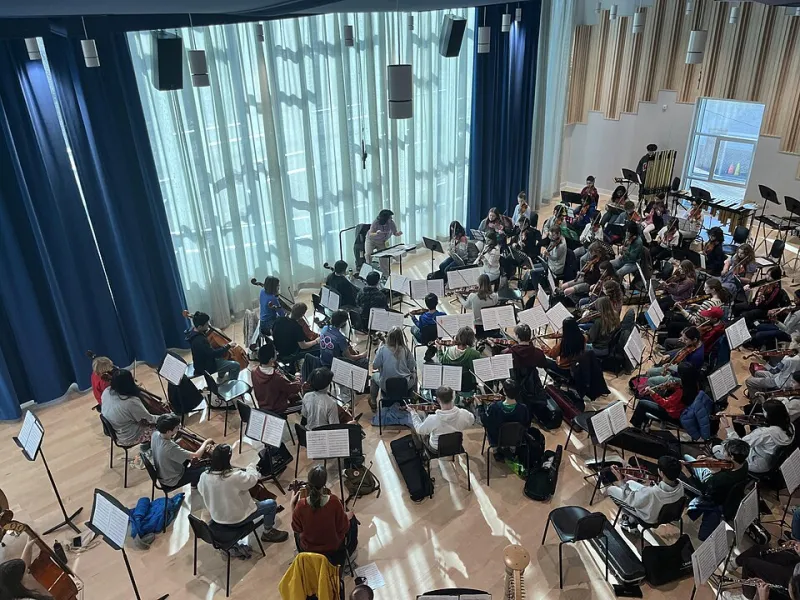
Photo: Fastreindeer45, CC BY-SA 4.0, via Wikimedia Commons
A conductor does not press play. They breathe, and the orchestra moves. Projection design for live classical music has to accept that the timeline is a human being. In UK concert halls, from Victorian rooms with limited rigging to modern arts centres with bright LED walls, the visuals are part of the performance only if they can follow, wait and disappear.
The score is the timeline
Start with the score, not the mood board. Mark bar numbers, rehearsal figures, tempo changes and fermatas. Build a cue sheet that can survive a conductor taking the slow movement slower than at rehearsal. Fixed-duration clips are a trap. Design modules that can stretch: a slowly rotating field, a gradient that breathes, a particle system with a rate control. Give the operator a “next” button and a “safe” state. If the music stops, the visuals should not keep dancing.
Latency is an instrument
Measure the whole chain: media server, playback machine, processor, projector. Add the venue’s own scaling and the distance from the back row. A cue that feels late on the desk may be early in the room. Build tolerance into transitions. Hard cuts on a downbeat are thrilling when they land and embarrassing when they do not. Use soft edges, fades and movement that can absorb a few frames. Rehearse with the conductor counting in, not with a click track.
Legibility from the back row
Projection is not a cinema screen. Ambient light, set pieces and dark costumes eat contrast. Test from the rear stalls and the balcony. Use large shapes, strong value contrast and a restrained palette. Avoid hairline type, fine gradients and detailed textures. If the visuals carry text, make it short and treat it as scenery, not subtitle. Check sightlines: a projection on a cyclorama may be masked by the choir or a lighting rig. The best view in the house is not the one that matters.
Rehearsal is the design tool
Attend the rehearsal with a score and a pencil. Mark where the conductor looks at the orchestra, where the tempo breathes and where the audience needs a rest. Talk to the stage manager about blackout and changeover. Build a “rehearsal” version with visible cue numbers, then a “show” version. Keep a paper cue sheet and a backup playback. Rehearse the failures: what happens if the projector drops, the server stutters or the conductor skips a repeat?
Surfaces and constraints
Every venue has its own geometry. A scrim takes projection differently from a painted flat or a choir stall. Throw distance, lens shift and brightness determine what is possible. In UK halls, listed buildings and tight get-ins often mean limited rigging and no huge LED. Work with the lighting designer early; projection and stage light are in the same fight for contrast. If the budget only covers one projector, design for one projector.
Let the performance lead
Projection should feel like another section of the orchestra, not a screensaver. It can illustrate, but it should also listen. Blackout is a cue. A slow fade can be a breath. The final frame is not the last visual; it is the audience looking at the players. When the conductor lowers their hands, the pixels should know when to stop.